


How to set up your FREE askimet anti spam key in WordPress
This video is best viewed in full screen HD.
How to get your FREE Askimet Key for WordPress Blogs Website from WP Total Training on Vimeo.
Askimet is a free WordPress anti-spam plugin that comes with all installs of WordPress software.
You must activate it and have an askimet key to use it.
It really cuts down tremendously on website spam.
Advanced Image Editing and Working with images WordPress
This is an HD recording so for best viewing click on the icon in the corner of the video to view with full screen.
Advanced Image Editing and Working with images WordPress
How to Embed a YouTube Video on your blog or website
How to add or embed a YouTube video in your WordPress blog or website.
Linda Lee, Askmepc-Webdesign, WordPress Central
How to publish and edit a post or page in WordPress
How to add keywords, tags and categories on WordPress
How to add keywords, tags and categories on WordPress.
Featured Content Gallery Video Help adding more images
Featured Content Gallery can be a bit confusing. It is a slideshow set up the shows featured posts with images that you select on your home page, depending on how you have set that up.
This video assumes you already have it set up, and need to see how to add more images or start adding images.
How to add Amazon Affliate Links to your website or blog
One very easy way to get started with affliate marketing and earning some income from your blog is to join Amazon’s Affliate Program. You can sell anything from Amazon on your website.
What Are Affiliate Programs?
Affiliate programs, also called associate programs, are where you can sign up or join an affiliate program, and you will be able to get links or banners or small ads that can just drop onto your website or in your email, which allow people to click through to that company. If you sell a product for them using your affiliate link. They then pay you for that sale.
The amounts all vary and the percentages are all different. All these programs are free to join.
Let’s use as an example Amazon. Amazon sells everything now. So they are great program to start off with. It is called the Amazon Associate Program and if you already have a Amazon ID, you can just join using that.
Once you join, they have a website where you login and manage your choices and get your links and ads and html code or widgets to use online.
The choices and vast and you can have a widget on your site that may feature the deal of the day. If a reader clicks it and buys something from Amazon, you get credit for it.
The shopper does not have to buy what they clicked through on, they can buy anything and you will get credit.
Affiliate programs place a cookie on the users machine to tell them that you are the affiliate member who will get credit for any sales and also this cookie is good for hours.
(this can vary depending on how the user has their machine set up, if they delete cookies with each session, it will delete the cookie telling your affiliate program where they came from.)
Most people do not clear their cookies with each browser window.
So the process is
1. Join any affiliate program
2. Get the links, banners or ad code you will need.
3. Add this to your website or email
4. Encourage people to shop using your links
5. Make money!
How to edit a page or a post in WordPress
| 1. Login to your Dashboard.
2. When you are done logging in your will looking at this, which is called your dashboard this is where you control your entire site in WordPress.
|


3. Select the post or page tab depending on what you want. A page is a permanent page usually on the menu bar, a post is the blogging part of your blog. Be sure to select the correct one.

4. When you click pages, it will drop down, and then you will select “edit”.

5. You will now be in the editing section, this looks like this.

6. You will now begin to edit the page,you can preview it using the preview button. When you are done, hit the publish button, if you are updating an existing page or post it will say “update” instead.

This is the same procedure for posting,make sure you are on the correct section when working, (page or post).
If you would like a 2 hour one on one
WordPress training session with Linda Lee,
click here to schedule and pay.
We work on your computer via remote with you.
How to write and publish a post in WordPress
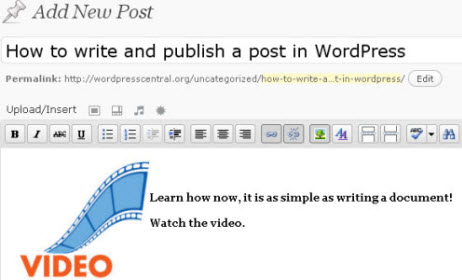
Watch Video on how to write and publish a post in WordPress.
Click the right side bottom corner of the video control bar to make the video full viewing size.
How to add an image in WordPress blog

This is my sample image, if you hover or it you will see what is called “alt text” and if you
click it you will go to this segment on “View from the Bay.”
Below are the video directions for how to add an image on a page or a post in WordPress.
Click the corner button of the video control panel for full size viewing of the video.
